KPLAN
M e t a g e n i a
 Home page
Organize your life
 News
Press & Internet
Our Philosophy
News
Press & Internet
Our Philosophy
 Presentation
Product
 Kplan PERSO
 |
Features | |
|
Screen shots | |
 |
Licence |
 Kplan PLUS
Versions comparison
Products history
Kplan PLUS
Versions comparison
Products history
Kplan users
 Download
Buy Kplan PLUS
Download
Buy Kplan PLUS
 Online help
Contacts
Contact us
 French Site
The KPLAN global view
-
Notice the 3 buttons (Professional/Associative/Private Life)
that you can use to organize your information (activities, contacts,...) according
to the type of life (private/professional/associative) it belongs to.

Day view
-
A small glass of champagne shows for friday july 11th, indicating one of your contacts' celebration day
Kplan will recall birthdays for all your relations (i.e thursday 17 july).
Notice different small icons ( sheets) indicating existing notes.

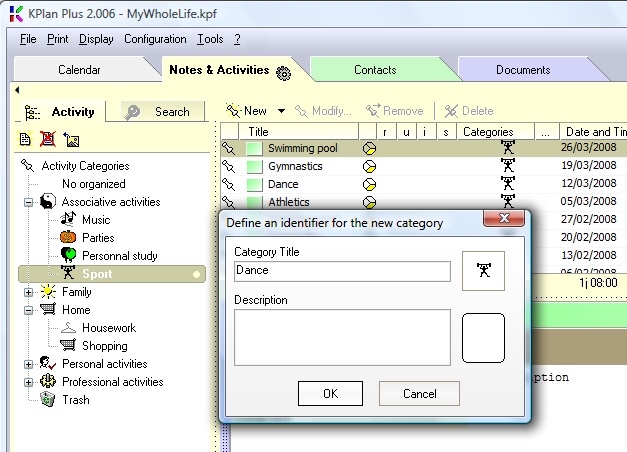
Create Customized Classifications
-
KPLAN will let you build your classification as needed . You can create one classification
for your notes, one for your contacts and one for your documents.
Each classification can include categories, sub-categories, sub-sub...categories to match your organization.
Existing classifications can be improved in the future to match any new classification requirements !
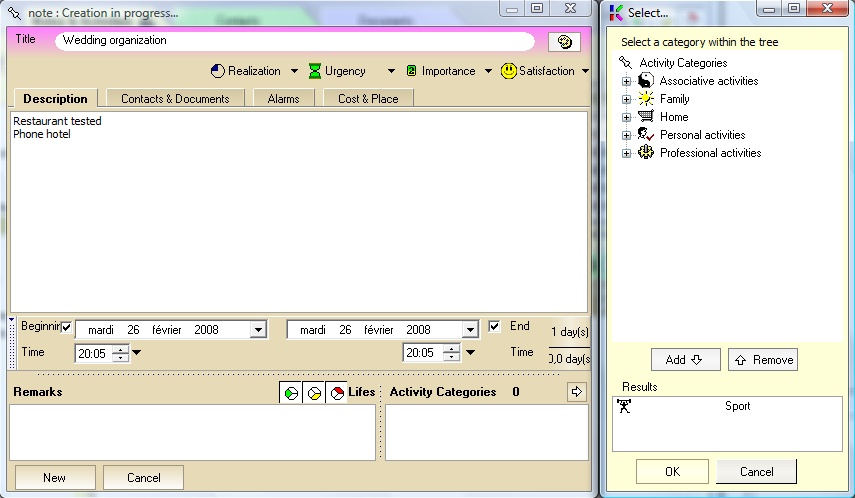
The Note Window
-
This the space where you create and organize Notes/Activities.
Notice the different classification levels (Satisfaction/Realization/Importance/Emergency) that are available.
It is also possible to customize the color associated to each Note/Activity.
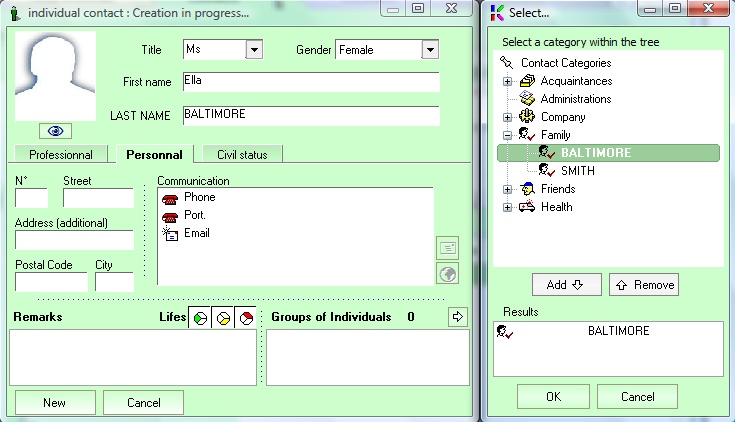
The Person Windows
-
This is the place where you create and organize Contacts
Notice that it is possible to link a picture to each person
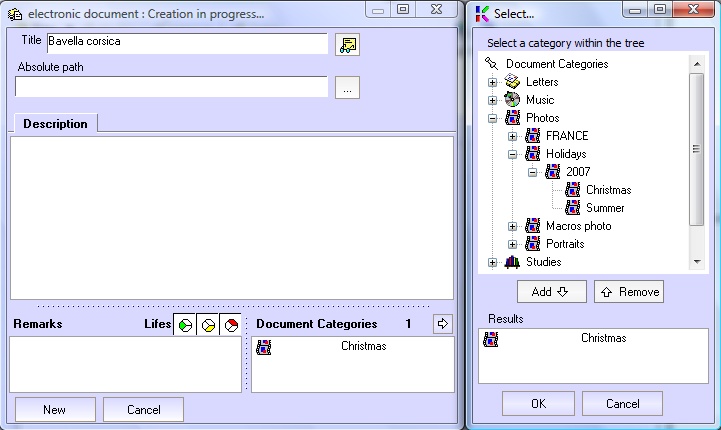
The Document Windows
-
This is the place where you create and organize Documents.
The documents can beopened directly by Kplan